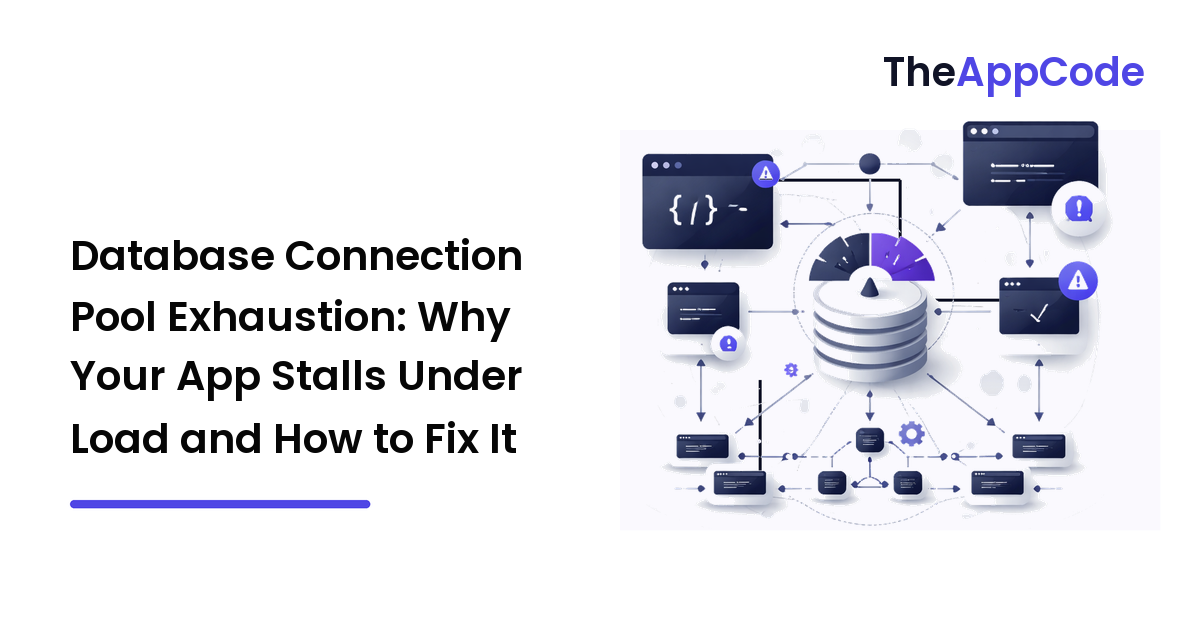
Your service is healthy at noon and unresponsive at 12:05. The database CPU is near idle, queries that normally take 5ms now take 5 seconds or time out entirely, and your logs fill with QueuePool limit of size 10 overflow 10 reached, connection timed out. Nothing is broken — and that's exactly the problem. You've hit connection pool exhaustion, the failure mode where requests don't fail because the database is slow; they fail because they can't get a connection to the database at all.
The short version: a connection pool is a fixed-size resource shared by every request, and when requests hold connections longer than they should — or when you simply have more concurrent requests than pool slots — new requests queue, then time out. The fix is rarely "make the pool bigger." It's understanding how many connections you actually open across every instance, why each one is held, and matching that to what your database can serve.
What a connection pool actually is
Opening a database connection is expensive: a TCP handshake, TLS negotiation, and authentication, often 20-100ms before a single query runs. A pool keeps a set of open connections alive and lends them out. A request borrows a connection, runs its queries, and returns it. Reuse turns that 50ms setup cost into near-zero per request.
The catch is that the pool is finite. If your pool holds 10 connections and 11 requests need one simultaneously, the 11th waits — up to a configured timeout — and if no connection frees up in time, it fails. Under steady load this is invisible. Under a traffic spike, or a single slow query holding connections hostage, the queue backs up and the whole service stalls while the database itself sits idle. That idle database is the signature of exhaustion: the bottleneck is the pool, not the engine behind it.
The counterintuitive part: more app servers can make it worse
Here is the trap that catches teams scaling horizontally. Each application instance has its own pool. The database has one connection limit.
engine = create_engine(
    "postgresql://user:[email protected]/app",
    pool_size=20,        # persistent connections per instance
    max_overflow=10,     # burst connections per instance
)
# Real max per instance = pool_size + max_overflow = 30
With pool_size=20 and max_overflow=10, each instance can open 30 connections. Run 20 instances behind your load balancer and you're asking the database for 600 connections. PostgreSQL's default max_connections is 100. The 4th instance to warm up under load starts getting connection refused at the database — and scaling out to handle more traffic is what triggered it.
This is why "add more servers" is the wrong reflex. Total demand on the database is instances × (pool_size + max_overflow), and that product must stay under the database's max_connections, with headroom for migrations, admin tools, and replicas. Autoscaling without accounting for this is a self-inflicted outage waiting for its first big day.
Sizing the pool: smaller than you think
The instinct is to crank pool_size up. It's almost always wrong. A database serves queries with a bounded number of CPU cores and disks; beyond that, more concurrent connections cause contention, not throughput. Past the saturation point, adding connections makes every query slower.
A useful starting point for a CPU-bound workload is roughly cores × 2, then measured and adjusted. A pool of 10-20 per instance handles far more load than people expect, because connections are held only while a query runs, which is usually milliseconds.
The real lever is hold time, not pool size. Throughput is governed by Little's Law: concurrent_connections = arrival_rate × hold_time. If 500 requests/second each hold a connection for 10ms, you need 500 × 0.01 = 5 connections. If a slow query pushes hold time to 200ms, that same load now needs 100 connections for identical throughput. You don't fix exhaustion by widening the pool to 100; you fix it by getting hold time back down to 10ms.
The silent killer: connection leaks
A leak is a connection that's borrowed and never returned. Each leaked connection permanently shrinks the pool until it's empty, at which point every request times out. Leaks usually come from an early return or an exception between "borrow" and "release."
# LEAK: if an exception fires before close(), the connection never returns.
def get_user(user_id):
    conn = engine.raw_connection()
    cur = conn.cursor()
    cur.execute("SELECT * FROM users WHERE id = %s", (user_id,))
    row = cur.fetchone()          # raises? conn is leaked forever
    conn.close()
    return row
# FIXED: the context manager returns the connection even on exception.
def get_user(user_id):
    with engine.connect() as conn:        # released on exit, always
        result = conn.execute(
            text("SELECT * FROM users WHERE id = :id"),
            {"id": user_id},
        )
        return result.fetchone()
The rule: a borrowed connection must be released in a finally or, better, a context manager (with) so it returns even when the code path throws. Most modern drivers and ORMs give you this for free if you use their session/connection scope correctly — the leaks happen when someone reaches around the abstraction for "just one raw query." A single leaking endpoint hit a few thousand times will drain a 30-connection pool by lunch.
Hold connections for the query, not the request
The most common non-leak cause of exhaustion is holding a connection across slow, non-database work. If you check out a connection at the start of a request handler and don't return it until the response is sent, every external API call, every sleep, every slow template render inside that handler is time the connection sits idle but unavailable to anyone else.
# BAD: connection held across a slow network call it doesn't need.
with engine.connect() as conn:
    order = conn.execute(text("SELECT ... ")).fetchone()
    receipt = charge_payment(order)       # 800ms third-party HTTP call
    conn.execute(text("UPDATE orders SET ..."))  # connection idle 800ms

# GOOD: release between DB work; reacquire after the slow call.
with engine.connect() as conn:
    order = conn.execute(text("SELECT ... ")).fetchone()
receipt = charge_payment(order)           # no connection held here
with engine.connect() as conn:
    conn.execute(text("UPDATE orders SET ..."))
Borrow late, return early. A connection should be checked out for the duration of your queries, not the duration of your request. This single discipline often reclaims more pool capacity than any config change.
A worked example: the autoscale outage
A team runs an API on 4 instances, pool_size=25, against PostgreSQL with max_connections=100. Steady state: 4 × 25 = 100. It works, with zero headroom. A marketing email lands, traffic triples, and autoscaling spins up to 12 instances. Demand on the database is now 12 × 25 = 300 connections against a limit of 100. Instances 5 onward get FATAL: too many clients already; healthy instances see queries queue behind a starved pool. The service is down while the database CPU graph stays flat.
The fix wasn't bigger pools — it was the opposite. They dropped pool_size to 8, capped autoscaling at 10 instances (10 × 8 = 80, leaving 20 for admin and replicas), and put PgBouncer in front of the database in transaction-pooling mode. PgBouncer multiplexes thousands of short-lived client connections onto a small set of real database connections, so the app can scale out while the database sees a stable, bounded number of connections. That last piece is the standard answer for serverless and high-instance-count deployments.
Serverless multiplies everything
Serverless functions are the hardest case: each concurrent invocation is effectively its own instance with its own connection. A function that opens even one connection, scaled to 500 concurrent executions, asks for 500 connections — and functions rarely clean up between invocations. The answer is an external pooler (PgBouncer, RDS Proxy, or your provider's equivalent) between the functions and the database, plus keeping per-function pool size at 1-2. Never let raw serverless concurrency talk directly to a primary database's connection limit.
How to diagnose it fast
When you suspect exhaustion, check these in order:
- Pool checkout wait time / timeouts in your app metrics — the smoking gun is requests waiting on the pool, not on queries.
- Active vs. idle connections at the database (
SELECT count(*), state FROM pg_stat_activity GROUP BY stateon Postgres). Lots ofidle in transactionmeans leaks or connections held too long. - The sum:
instances × (pool_size + max_overflow)versusmax_connections. If demand exceeds supply, sizing is your problem before anything else. - Slow queries holding connections — one unindexed query under load can lock up the whole pool by inflating hold time.
This is also a good moment to revisit how your endpoints are structured, because pool pressure is often a symptom of handlers doing too much in one request — the same discipline behind a clean REST API design keeps connections held briefly and predictably.
The trick
When exhaustion hits, resist the urge to raise pool_size. Instead, find what's holding connections too long — a leak, a slow query, or non-database work inside a checked-out connection — and shorten the hold time. A pool that returns connections in milliseconds serves enormous load from a handful of slots; a pool that leaks or stalls can't be saved by any size.
FAQ
How do I know my pool is exhausted and not just my database being slow?
Look at where the time goes. If your app metrics show requests waiting to acquire a connection (pool checkout timeouts) while database CPU and query latency stay low, it's the pool. If individual queries are slow at the database, it's the engine. Exhaustion's signature is a busy app and an idle database.
What's a good pool size to start with?
Start small — around cores × 2 per instance, often 8-20 — and increase only if metrics show sustained checkout waits with the database still under-loaded. Most teams over-size pools and create the very contention they're trying to avoid. Measure hold time and apply Little's Law rather than guessing.
Why does adding more application servers sometimes make it worse?
Because each server has its own pool, and the database has one shared limit. Total demand is instances × (pool_size + max_overflow). Scaling out multiplies connection demand against a fixed max_connections, so more servers can starve the database even as they try to handle more traffic.
Do I need PgBouncer or a proxy?
Not for a few stable instances with well-sized pools. You need one when instance count is high or unpredictable — autoscaling groups and especially serverless — where a pooler multiplexes many client connections onto a small, bounded set of real database connections so the database never sees the full fan-out.
How do I catch connection leaks before production does?
Use context managers (with) or finally blocks so connections always return, even on exception, and never reach around your ORM for raw connections without the same guarantee. In testing, set a very small pool and a short checkout timeout; a leak surfaces almost immediately as the pool drains under modest load.
Next step
Open your connection pool configuration and do the multiplication: instances × (pool_size + max_overflow), then compare it to your database's max_connections with headroom to spare. If the number is too high, the fix is smaller pools, capped scaling, and a pooler in front — not a bigger limit. Then hunt your slowest endpoint for leaks and held connections. Get hold time down and the pool will carry far more than you'd expect. More backend engineering guides at TheAppCode.