More code is being merged per developer than at any point in the industry's history, because much of it is no longer typed by hand. The bottleneck has moved from writing changes to trusting them — and the pipeline is the only part of the process that treats every change with the same level of suspicion, whether it came from a senior engineer, a new hire, or an AI assistant at two in the morning.
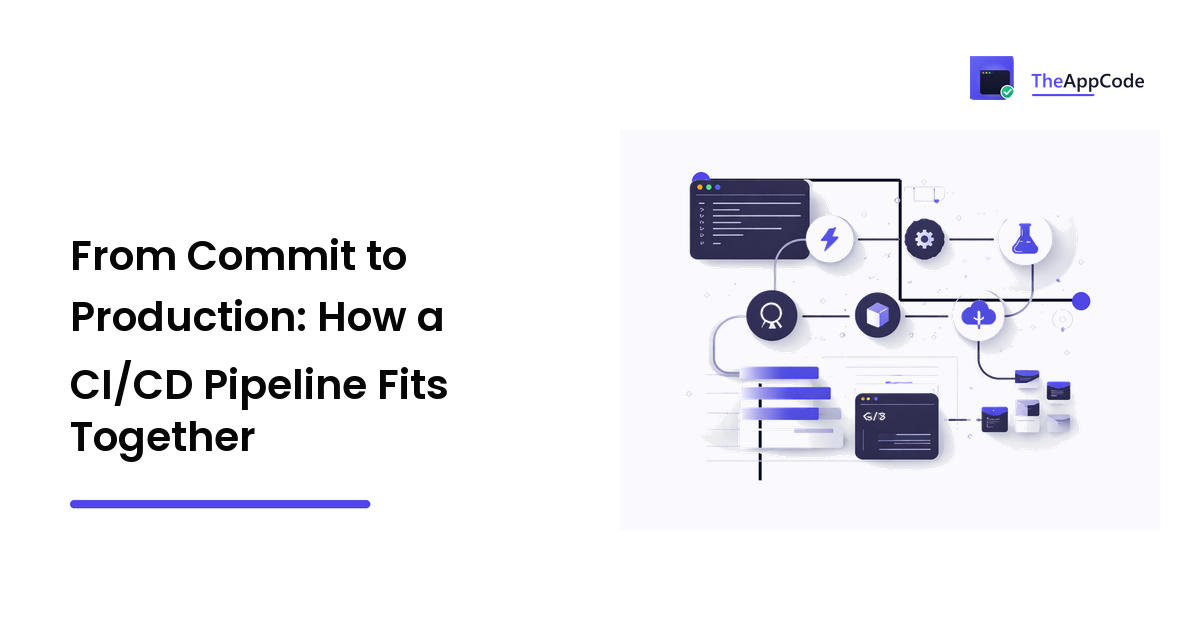
The short version: a CI/CD pipeline is a series of automated gates between a commit and production, and every stage exists to catch a specific kind of failure. Understand which failure each stage catches and you can decide — rather than guess — which stages your team actually needs.
What CI and CD actually mean
The acronym hides a real distinction, and a deliberate ambiguity.
Continuous integration (CI) is the practice of merging small changes frequently into a shared branch, with an automated build and test run on every merge. The point is not the automation itself — it is that integration problems surface within hours of being created, while the change is still small enough to reason about.
CD stands for two different things, and the difference matters:
- Continuous delivery means every change that passes the pipeline could be deployed at any moment. A human still decides when.
- Continuous deployment means every change that passes the pipeline is deployed, automatically, with no human in the loop.
Continuous delivery is an engineering discipline almost any team benefits from. Continuous deployment is a further step that demands real investment in tests, monitoring, and rollback — and plenty of healthy teams sensibly stop at delivery. The vendors selling pipeline tooling rarely dwell on that distinction, because "deploy fifty times a day" makes better marketing than "deploy when a human says so, but be able to deploy fifty times a day."
The stages, in order
Pipelines differ in tooling — GitHub Actions, GitLab CI, Jenkins, and their peers all express the same ideas with different syntax — but the anatomy is remarkably stable. Each stage answers one question.
Trigger: what starts a run
A pipeline run starts from an event: a push, a pull request, a merge, a tag, a schedule. The design decision here is which events run which stages — fast checks on every push, the full suite on merge to main, deployment on a tag or a merge.
Your branching habits shape this stage more than any tool choice. A history full of tangled merge commits makes it genuinely harder to identify which change broke the build; a linear history makes bisecting failures almost mechanical. The trade-offs between the two approaches are covered in git rebase vs merge — the short answer is that how you combine branches is a pipeline decision, not just a personal preference.
Build: does it compile at all
The build stage turns source into something runnable and fails fast if it cannot. This is the cheapest gate in the pipeline, which is exactly why it runs first: a change that does not compile should never consume the time of the expensive stages behind it.
The build stage is also where dependency problems surface — a version that resolves differently on the CI machine than on your laptop is a bug report from the future, delivered early.
Test: does it still behave
The test stage is where most pipeline time goes, and where most pipeline design mistakes live. The workable pattern is a hierarchy ordered by cost:
- Static checks — linting, formatting, type checks — run first because they are nearly free and catch a surprising share of problems. They are also the natural home for the mechanical review checks that no human should spend attention on; if your team is absorbing a high volume of machine-written code, how to review AI-generated code covers which of those checks are worth automating before a human ever looks.
- Unit tests run next: fast, isolated, and the layer that should carry most of your coverage.
- Integration and end-to-end tests run last, because they are slow and brittle in ways unit tests are not. They also collide with the real world — an end-to-end suite that has to get past a login wall or a CAPTCHA needs deliberate design, which is exactly the problem getting automated tests past CAPTCHAs works through.
The failure mode of this stage is not missing tests — it is flaky ones. A test that fails randomly one run in twenty trains the team to click "re-run" without reading, and at that point the stage has stopped being a gate. A smaller suite the team believes is worth more than a larger one it ignores.
Package: freeze what you tested
The package stage produces an artifact — most commonly a container image these days, though a versioned archive serves the same purpose — and stores it. The principle it enforces is simple: the thing you deploy must be the thing you tested. Rebuilding at deploy time reintroduces every source of drift the pipeline exists to eliminate.
Docker's practical contribution here is not novelty; it is that the artifact carries its runtime environment with it, so "works in CI" and "works in production" are claims about the same object.
Deploy: move it without breaking anything
The deploy stage takes the artifact and releases it — to staging first, then production. The strategies differ in how they manage the moment of transition:
- Rolling deploys replace instances gradually; cheap, and the default in most orchestrators.
- Blue-green deploys run old and new side by side and switch traffic at once; the fastest rollback, at the price of double capacity during the deploy.
- Canary deploys send a small slice of traffic to the new version first; the best early warning, and the most work to operate honestly.
Every one of these strategies shares a hidden dependency: during the transition, old and new code run against the same database at the same time. Code deploys are easily reversible; schema changes are not, and they are where most deploy-window outages actually come from. That discipline — expand, migrate, contract — is its own topic, covered in zero-downtime database migrations.
Observe: know what happened
A pipeline does not end when the deploy script exits. The last stage is knowing, quickly, whether the release is healthy: error rates, latency, and the handful of business signals that tell you users can still do the thing your product exists for. Without that feedback, "deploy on Friday" is a superstition debate; with it, it is a non-event.
How small can a pipeline be?
Smaller than most teams think. The cargo-cult failure in this category is copying the pipeline of a company with a thousand engineers — multi-hour test matrices, approval chains, staged rollouts across regions — onto a product with three developers and one region.
A pipeline earns its stages one incident at a time. A defensible minimum for a small team:
- On every push: build, static checks, unit tests.
- On merge to main: the same, plus integration tests, then build and store the artifact.
- Deploy that artifact to staging automatically; promote the identical artifact to production with one manual action.
- After deploy: an automated smoke check and an error-rate alarm.
That is a genuine CI/CD pipeline. Everything beyond it should be justified by a failure you have actually had, not one you have read about.
The same logic applies in the other direction: not every valuable change ships through a fashionable stack. The rehearse-on-a-copy, cut-over-with-a-rollback-path discipline in upgrading PHP on a WordPress site is the pipeline mindset applied by hand — the principles survive even where the tooling is absent.
The trade-offs the tooling pages skip
Speed versus confidence is the whole game. Every stage you add catches more failures and slows every merge. The pipeline that checks everything takes an hour; the developer waiting an hour stops merging small changes; large changes are exactly what pipelines exist to prevent. Fast feedback is not a luxury — past a certain wait, the pipeline starts causing the behaviour it was built to catch.
Staging is a model, not a mirror. Staging environments drift: less data, fewer integrations, no real traffic. Teams that treat a green staging run as proof rather than evidence get surprised in production anyway. The honest posture is staging plus production observability, not staging as a guarantee.
Pipelines are code, and code rots. Someone owns the pipeline or nobody does. Un-pinned dependencies, deprecated runner images, and secrets pasted into settings pages all fail eventually — usually during an urgent release, because that is when pipelines run most.
Compute has a bill. Test matrices multiply: three platforms times four language versions is twelve runs per push. Whether that costs money on hosted runners or time on your own, trimming the matrix to what you actually support is routinely the cheapest optimisation available.
FAQ
What is the difference between CI and CD? CI is merging small changes frequently with automated builds and tests on each one. CD is either continuous delivery (every passing change can be deployed, a human decides when) or continuous deployment (every passing change is deployed automatically). They are separate practices, adopted in that order.
Do small teams really need a pipeline? Small teams arguably need one more, because there is no release engineer to compensate by hand. The pipeline just needs to be proportionally small: build, test, artifact, one-step deploy. A pipeline that runs in minutes and is trusted beats an elaborate one that is bypassed.
Should deployment to production be automatic? Only if a bad deploy would be detected and reversed without a human noticing first — which is a statement about your tests, monitoring, and rollback, not about your courage. Continuous delivery with a one-click promote is a respectable end state, not a compromise.
Why do teams deploy so often instead of batching releases? Because risk scales with batch size. Ten small deploys each carry one change to reason about and roll back; one big-bang release carries all ten interacting at once. Frequent deploys are a risk-reduction strategy that happens to also ship features sooner.
Where do database changes fit in a pipeline? Migrations run as a pipeline step, but they cannot be rolled back the way code can — so they are written to be backwards-compatible, letting old and new code share the schema during the deploy. That expand-and-contract pattern is what makes the rest of the pipeline's rollback story honest.
The pipeline is not bureaucracy; it is the codified memory of every way your releases have failed before. Build the smallest one that would have caught your last incident, keep it fast enough that nobody routes around it, and let real failures — not fashion — decide what gets added next. For more vendor-neutral guidance on shipping and running software, read on at TheAppCode.